Integrating AI into an existing SaaS
Role
Role
UX/UI Designer
UX/UI Designer
team
team
1 UX/UI Designer
1 UX/UI Designer
3 backend developers
3 backend developers
1 frontend developer
1 frontend developer
contribution
contribution
Research & Data analysis
Research & Data analysis
user interface design
user interface design
python
python
timeline
timeline
6 weeks
6 weeks
overview
overview
What does it take to ship an AI assistant in 6 weeks?
Our objective was to integrate an AI assistant into an existing SaaS solution, that has (permission based) access to internal documents and answers questions based on this knowledge base. However the UX part of this project is in large part dependent on a self-willed AI with it’s own preferences.
Our objective was to integrate an AI assistant into an existing SaaS solution, that has (permission based) access to internal documents and answers questions based on this knowledge base. However the UX part of this project is in large part dependent on a self-willed AI with it’s own preferences.
making due with limited insight
making due with limited insight
The platform is used internally in the same way as their their clients do.
We neither had the time, nor the access to the client’s external users. However, their in-house use of their product is the same as their client’s. Therefore, while working out the exact requirements from the stakeholders, we also discussed pain points. Furthermore, I pushed to speak to internal users, and conducted 6 interviews with users in key roles. In short, the stakeholders envisioned the AI chat as an additional way to search internal documents, and the interviews further confirmed that finding specific documents is both a pain point, and a task that is done multiple times per day.
We neither had the time, nor the access to the client’s external users. However, their in-house use of their product is the same as their client’s. Therefore, while working out the exact requirements from the stakeholders, we also discussed pain points. Furthermore, I pushed to speak to internal users, and conducted 6 interviews with users in key roles. In short, the stakeholders envisioned the AI chat as an additional way to search internal documents, and the interviews further confirmed that finding specific documents is both a pain point, and a task that is done multiple times per day.
Requirements
The AI assistant is easily discoverable and intuitive to use
The AI assistant has access to internal documentation and responds to queries based on the information within them
The AI assistant’s access is restricted by regular user permissions
Pain points
The search function is unreliable, and often needs exact wording to find relevant articles
The internal knowledge has hundreds of articles, looking them up takes time away from other tasks
Users rely on bookmarking for finding key articles since the search is unreliable
a key challenge
a key challenge
How do we get the AI to behave like we want?
Our objective was to integrate an AI assistant into an existing SaaS solution, that has (permission based) access to internal documents and answers questions based on this knowledge base. However the UX part of this project is in large part dependent on a self-willed AI with it’s own preferences.
Our objective was to integrate an AI assistant into an existing SaaS solution, that has (permission based) access to internal documents and answers questions based on this knowledge base. However the UX part of this project is in large part dependent on a self-willed AI with it’s own preferences.
A new type of UX
A new type of UX
Unlike normal scenarios, with AI involved I cannot control every parameter of the user experience - but I have ways to fix that.
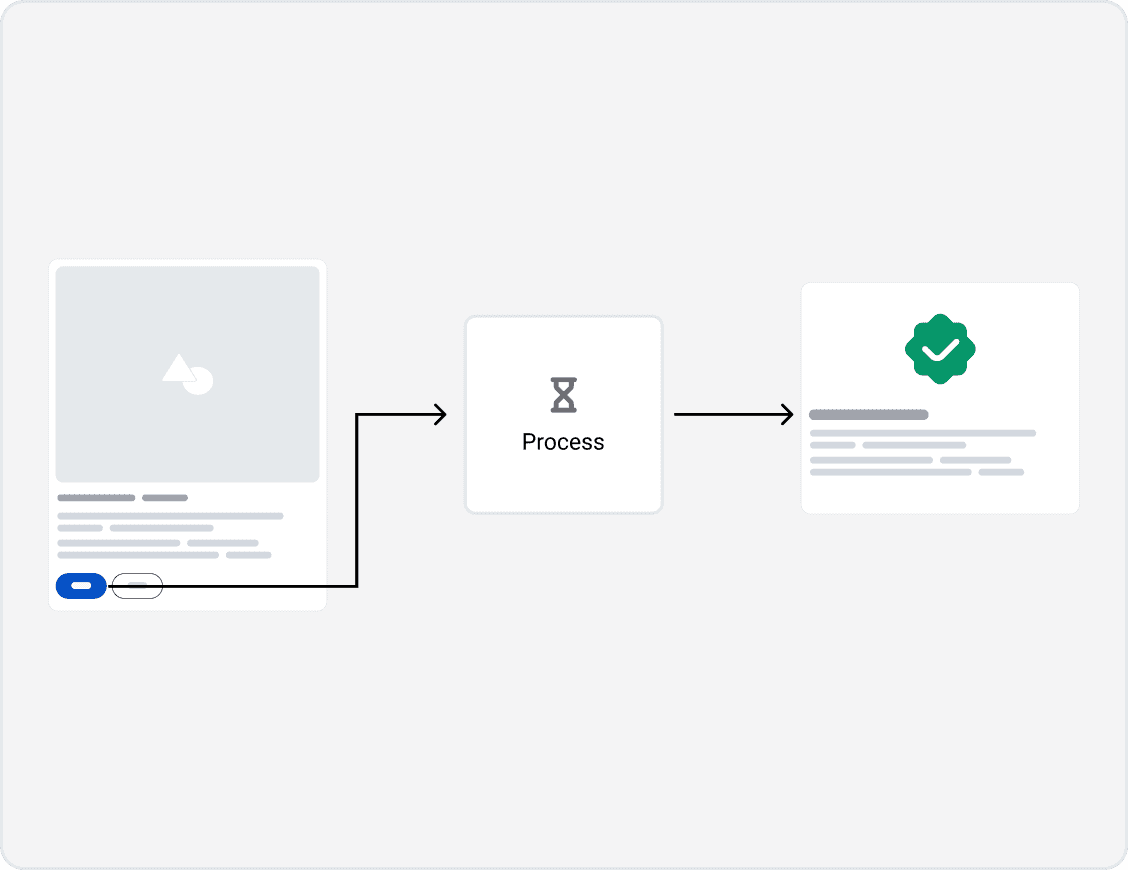
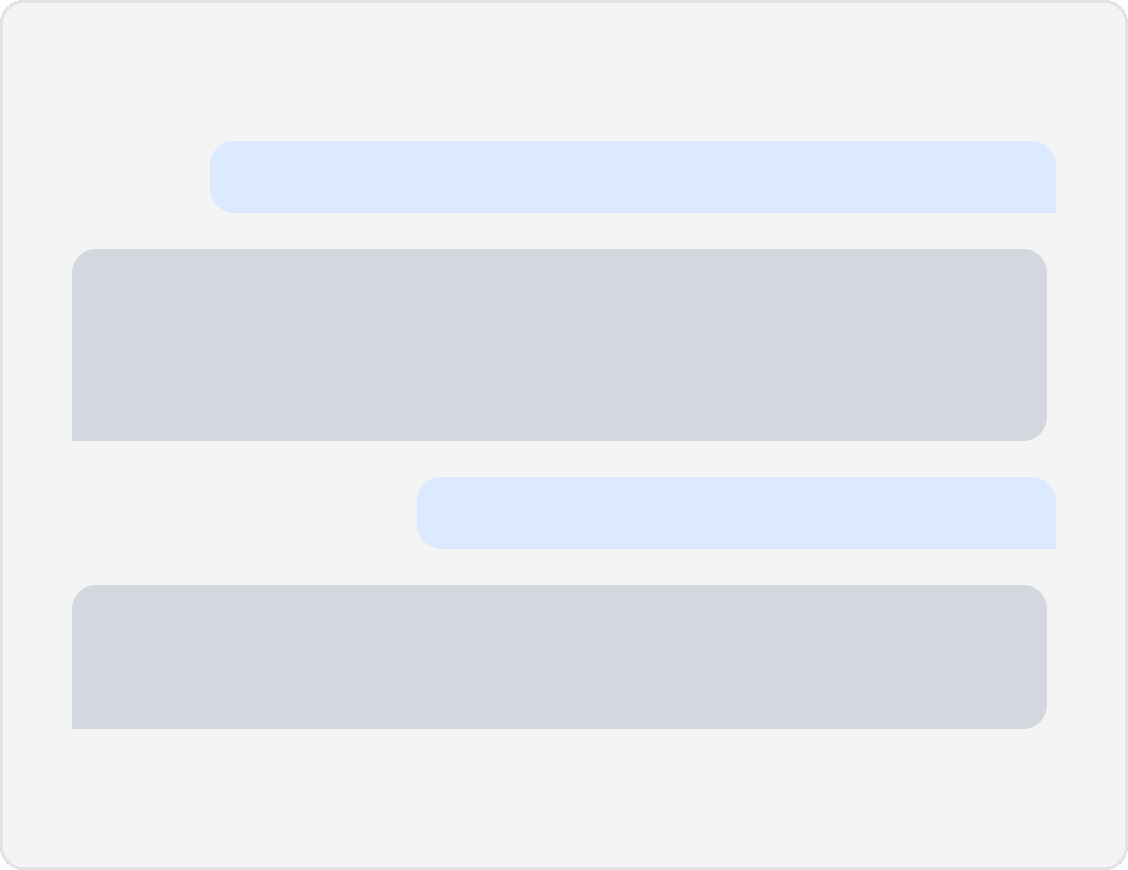
In a typical project, I define how every interaction happens, from where users click, to what output they see. With an AI chatbot however, the user experience is in large part in how the AI talks to the user. In fact, the main factor that determines if a user will continue using an AI feature is whether the like how it feels to talk to the AI. And by it’s very nature, what the AI will generate, can be difficult to control.
In a typical project, I define how every interaction happens, from where users click, to what output they see. With an AI chatbot however, the user experience is in large part in how the AI talks to the user. In fact, the main factor that determines if a user will continue using an AI feature is whether the like how it feels to talk to the AI. And by it’s very nature, what the AI will generate, can be difficult to control.
Traditional project
Traditional project
AI project
AI project
Leveraging my coding skills
Leveraging my coding skills
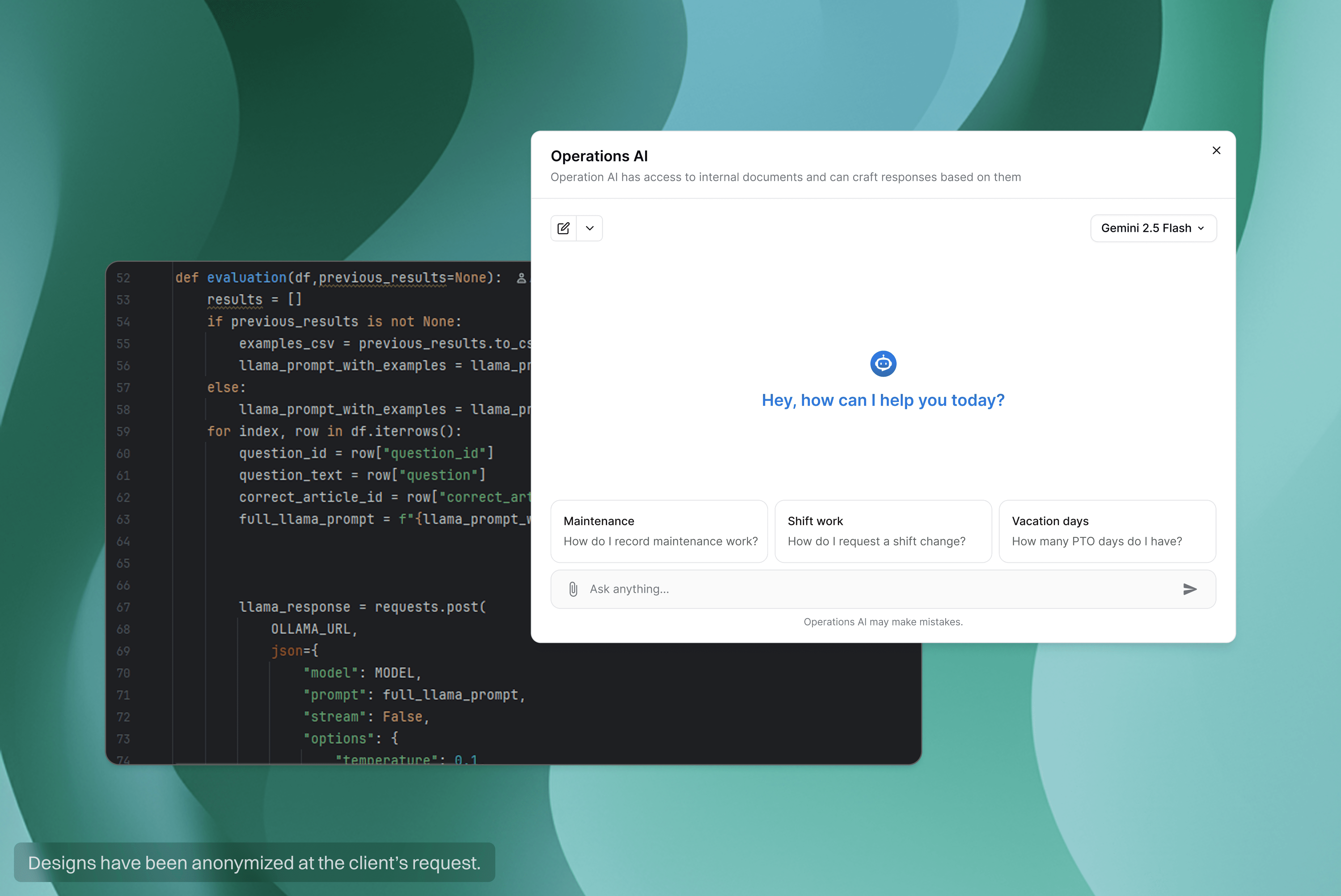
The project came at an opportune time. Having recently finished the IBM AI Developer course, I saw an opportunity to address even this part of the user experience, leaving no stone unturned. In between waiting for stakeholder feedback, and the developers to get familiar with the system, I coded an python evaluation system to improve the AIs responses.
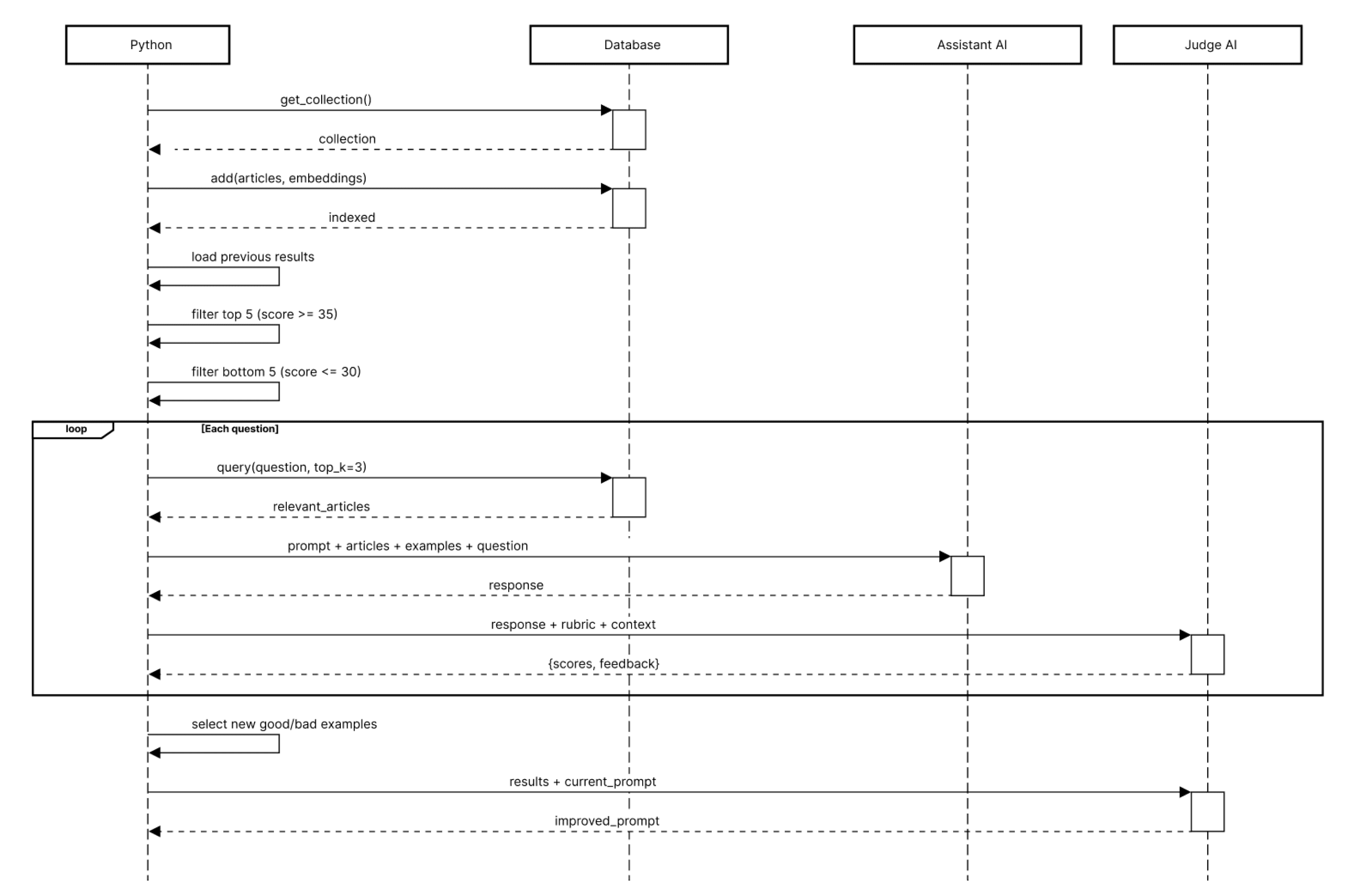
The script uses LLM-as-a-Judge and few shot methods. The asistant AI (Llama 3) is sequentially asked questions from a database, and provided corresponding articles based on semantic seearch, to craft a response from. Afterwards, a different AI (Claude) is tasked with comparing the answer based on the question and articles, and scoring it based on an evaluation framework. The assistant AI is scored for conciseness, factuality, professionalism, and retrieval accuracy, for a possible maximum score of 40 points.
Following the initial round, the five best and worst responses are stored as examples and also passed to the assistant AI in future loops. Once it has answered all 20 questions, the script checks if the average score is 35 or above. If not, the judge AI updates the assistant AI's prompt and a new evaluation round starts.
The project came at an opportune time. Having recently finished the IBM AI Developer course, I saw an opportunity to address even this part of the user experience, leaving no stone unturned. In between waiting for stakeholder feedback, and the developers to get familiar with the system, I coded an python evaluation system to improve the AIs responses.
The script uses LLM-as-a-Judge and few shot methods. The asistant AI (Llama 3) is sequentially asked questions from a database, and provided corresponding articles based on semantic seearch, to craft a response from. Afterwards, a different AI (Claude) is tasked with comparing the answer based on the question and articles, and scoring it based on an evaluation framework. The assistant AI is scored for conciseness, factuality, professionalism, and retrieval accuracy, for a possible maximum score of 40 points.
Following the initial round, the five best and worst responses are stored as examples and also passed to the assistant AI in future loops. Once it has answered all 20 questions, the script checks if the average score is 35 or above. If not, the judge AI updates the assistant AI's prompt and a new evaluation round starts.
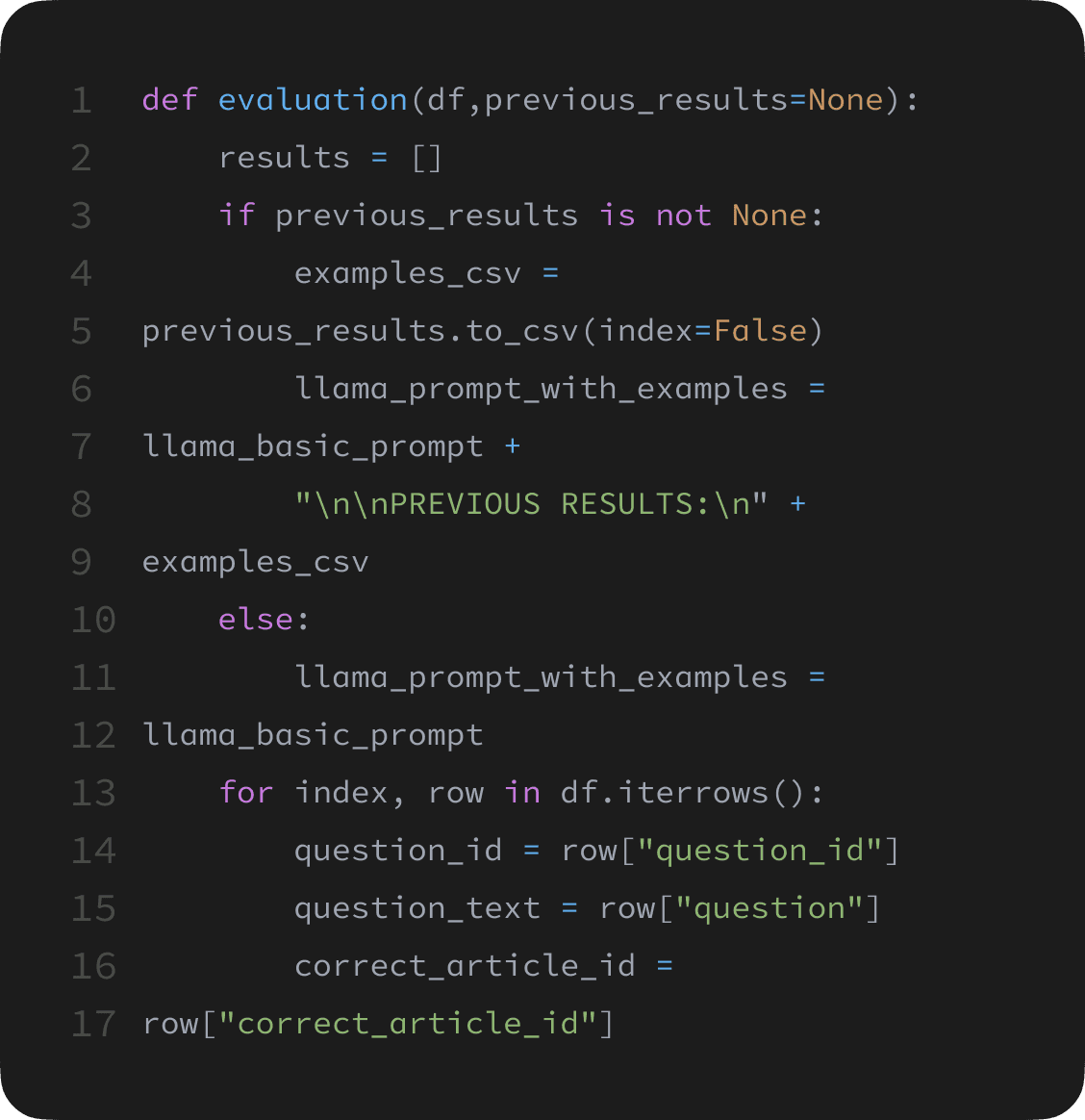
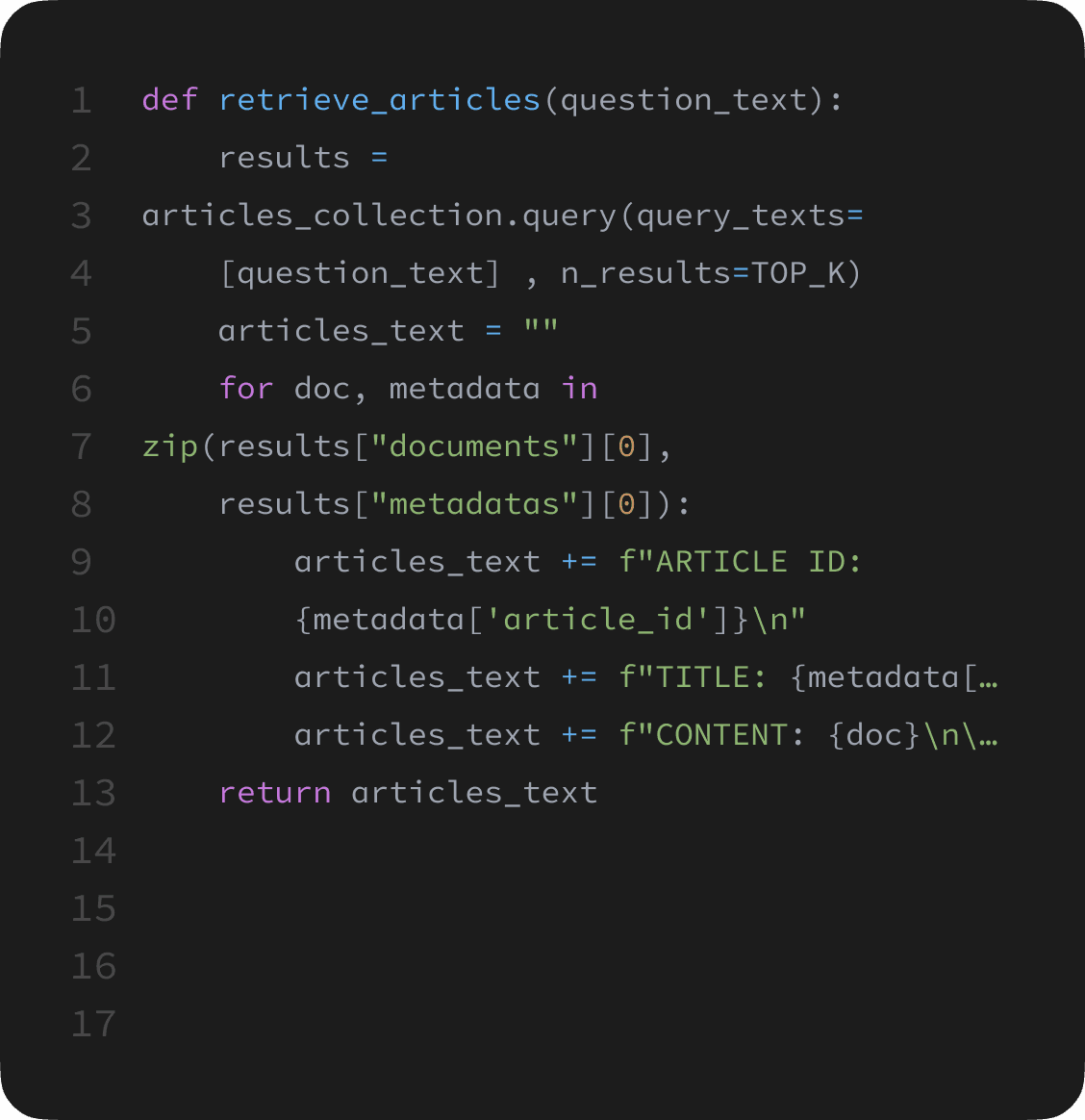
the evaluation results
the evaluation results
Running a single evaluation loop using my local llm took about 15 minutes, but thankfully after just 8 loops the score threshold was reached. The improvement in AI responses was also evident even without comparing the scores. Instead of long rambling-like response, it gave concise answers. It kept the tone consistently professional. And (although not perfectly), when it couldn’t find an answer within the database, it would tell the users. It would still sometimes hallucinate an answer even after telling us that it cannot find it within the database, but since the final implementation would use one of the hosted AI services, this issue was inherit to the model and impossible to fully mitigate. I handed over my code to the developers, who later implemented it into the broader system with relatively minor changes.
Running a single evaluation loop using my local llm took about 15 minutes, but thankfully after just 8 loops the score threshold was reached. The improvement in AI responses was also evident even without comparing the scores. Instead of long rambling-like response, it gave concise answers. It kept the tone consistently professional. And (although not perfectly), when it couldn’t find an answer within the database, it would tell the users. It would still sometimes hallucinate an answer even after telling us that it cannot find it within the database, but since the final implementation would use one of the hosted AI services, this issue was inherit to the model and impossible to fully mitigate. I handed over my code to the developers, who later implemented it into the broader system with relatively minor changes.
17.3
AVG. Score
PRE-OPTIMIZATION
“Great question about scheduling a vacation. Vacations are really important for work-life balance and mental health. There are many ways you could approach this depending on your situation. Generally speaking, you would want to talk to your manager or HR department about taking time off. You might need to fill out some kind of form or submit a request through a system. It's usually a good idea to plan ahead and give your team enough notice so they can cover your responsibilities while you're away. Make sure to check how many vacation days you have available. Some companies have blackout periods where you can't take vacation. I hope this helps! Let me know if you have any other questions about vacation planning or anything else I can assist with.”
37.8
AVG. Score
POST-OPTIMIZATION
“Submit a vacation request under Tasks > Requests, select your dates, and it will be sent to your manager for approval. Full walkthrough here: Submitting Time-Off Requests.”
How others implement ai chats
How others implement ai chats
Taking a closer look at how others implements AI chats revealed just how many ways exists to solve the same problem.
I explored how systems name their AI assistant, how they are accessed, how the conversation history is kept track of, and how the chat were designed. What I found is:
There are three main naming conventions
{CompanyName} + “AI” (e.g. Slack AI, Meta AI, Notion AI)
Role based name (e.g. Coach, Copilot)
Unique name (e.g. Rovo, Watson)
Multiple chats are almost exclusively used for dedicated AI chatbot pages. AIs integrated into existing systems only have a main (persistent) chat
Side panel is the most common pattern, though modals and chat bubbles are are represented
AIs are accessed through dedicated “unique” buttons, but they don’t aggressively prompt the user to use the AI
I explored how systems name their AI assistant, how they are accessed, how the conversation history is kept track of, and how the chat were designed. What I found is:
There are three main naming conventions
{CompanyName} + “AI” (e.g. Slack AI, Meta AI, Notion AI)
Role based name (e.g. Coach, Copilot)
Unique name (e.g. Rovo, Watson)
Multiple chats are almost exclusively used for dedicated AI chatbot pages. AIs integrated into existing systems only have a main (persistent) chat
Side panel is the most common pattern, though modals and chat bubbles are are represented
AIs are accessed through dedicated “unique” buttons, but they don’t aggressively prompt the user to use the AI
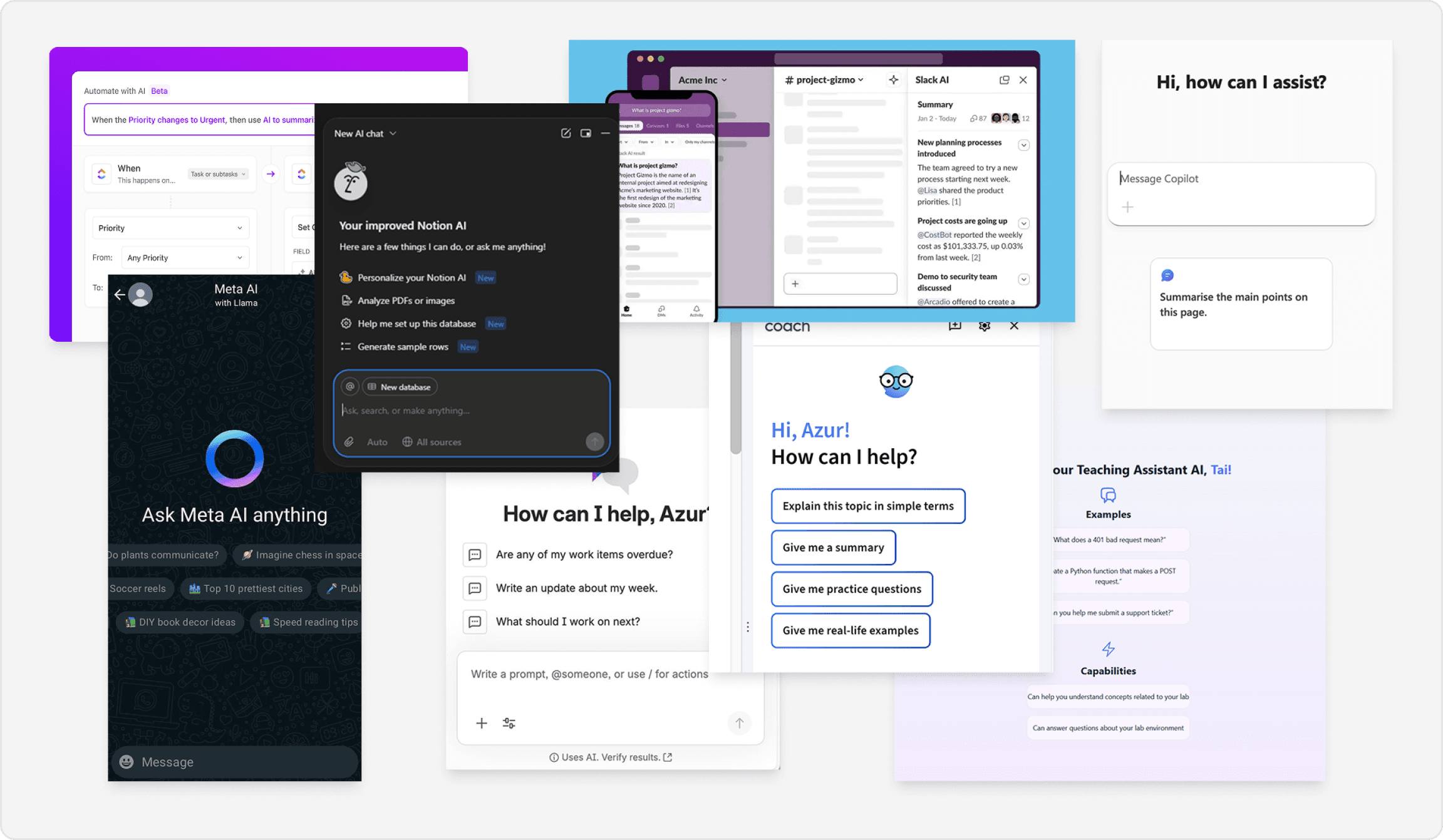
Exploring options
Exploring options
I explored a variety of options, both for accessing the chat, and how the chat itself could look like. Afterwards, I made prototypes, and designed a simple internal test to get feedback from daily users of the tool. Together with input from the stakeholder, it helped me to determine the right choice for project. We opted to have the chat accessed through a button in the top right, and chose the side panel design as it allows users to still interact with content on the page, while feeling too constrained.
I explored a variety of options, both for accessing the chat, and how the chat itself could look like. Afterwards, I made prototypes, and designed a simple internal test to get feedback from daily users of the tool. Together with input from the stakeholder, it helped me to determine the right choice for project. We opted to have the chat accessed through a button in the top right, and chose the side panel design as it allows users to still interact with content on the page, while feeling too constrained.


Finetuning the chat
Finetuning the chat
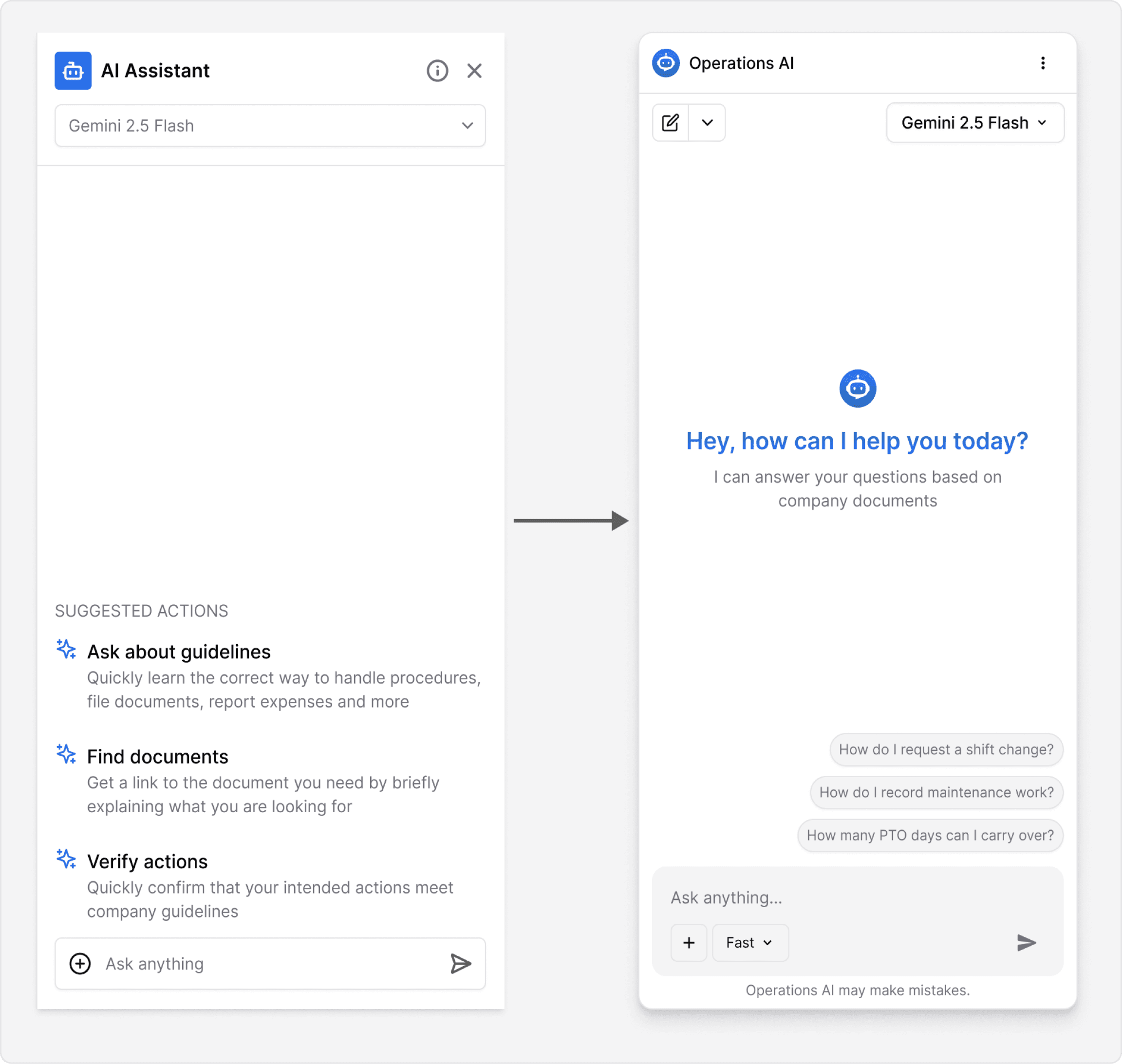
The side panel was the most popular approach. However each version also had something that users liked. I took what worked best in each one, and combined it into the final polished version.
The side panel was the most popular approach. However each version also had something that users liked. I took what worked best in each one, and combined it into the final polished version.
outcome
outcome
We successfully carried out all the requirements and delivered a functional product
The AI chat, was not only functional, but also polished, responsive, and visually matched the platform. It was successfully integrated to a test branch that was put aside for our project, and it passed all of our testing.
The AI chat, was not only functional, but also polished, responsive, and visually matched the platform. It was successfully integrated to a test branch that was put aside for our project, and it passed all of our testing.

The chat is accessible from any part of the platform. Including, when viewing documents in a modal. It was very important for the client, that the AI can assist workers, no matter where they are in the platform, or what they are working on.
The chat is accessible from any part of the platform. Including, when viewing documents in a modal. It was very important for the client, that the AI can assist workers, no matter where they are in the platform, or what they are working on.

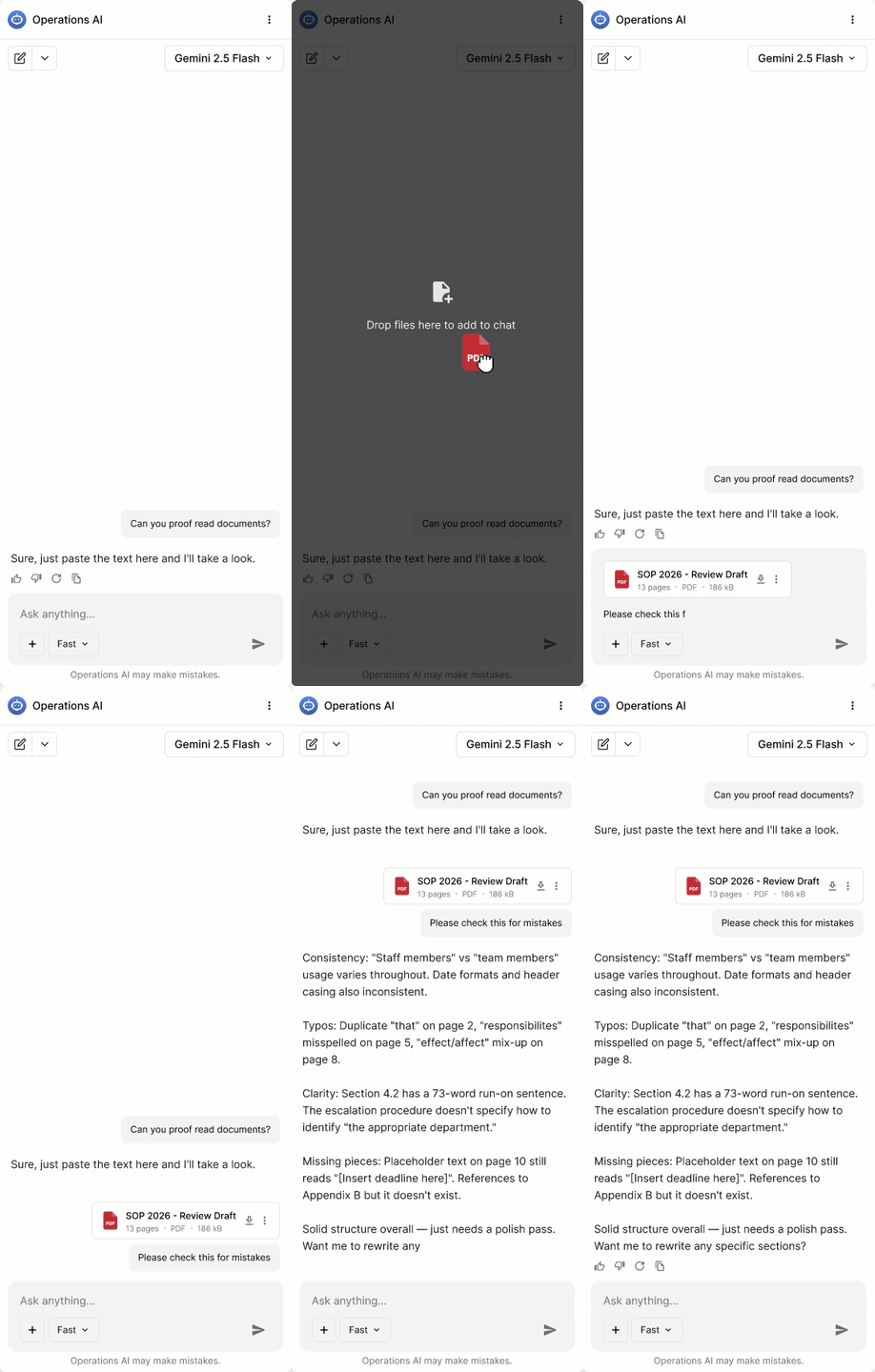
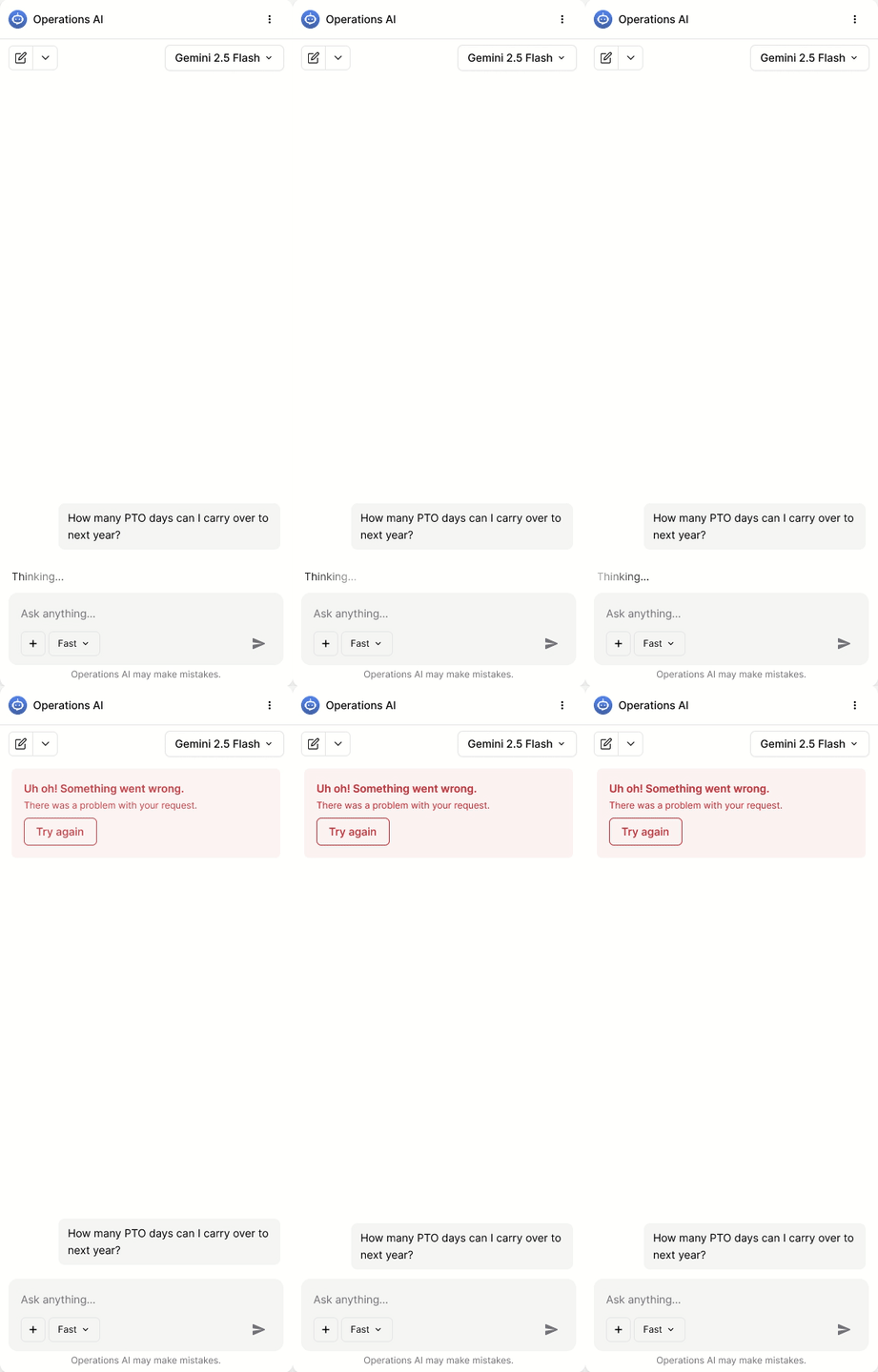
The chat also displays when the AI is thinking, and can even craft responses based on pictures or documents that users can attach within the chat.
The chat also displays when the AI is thinking, and can even craft responses based on pictures or documents that users can attach within the chat.
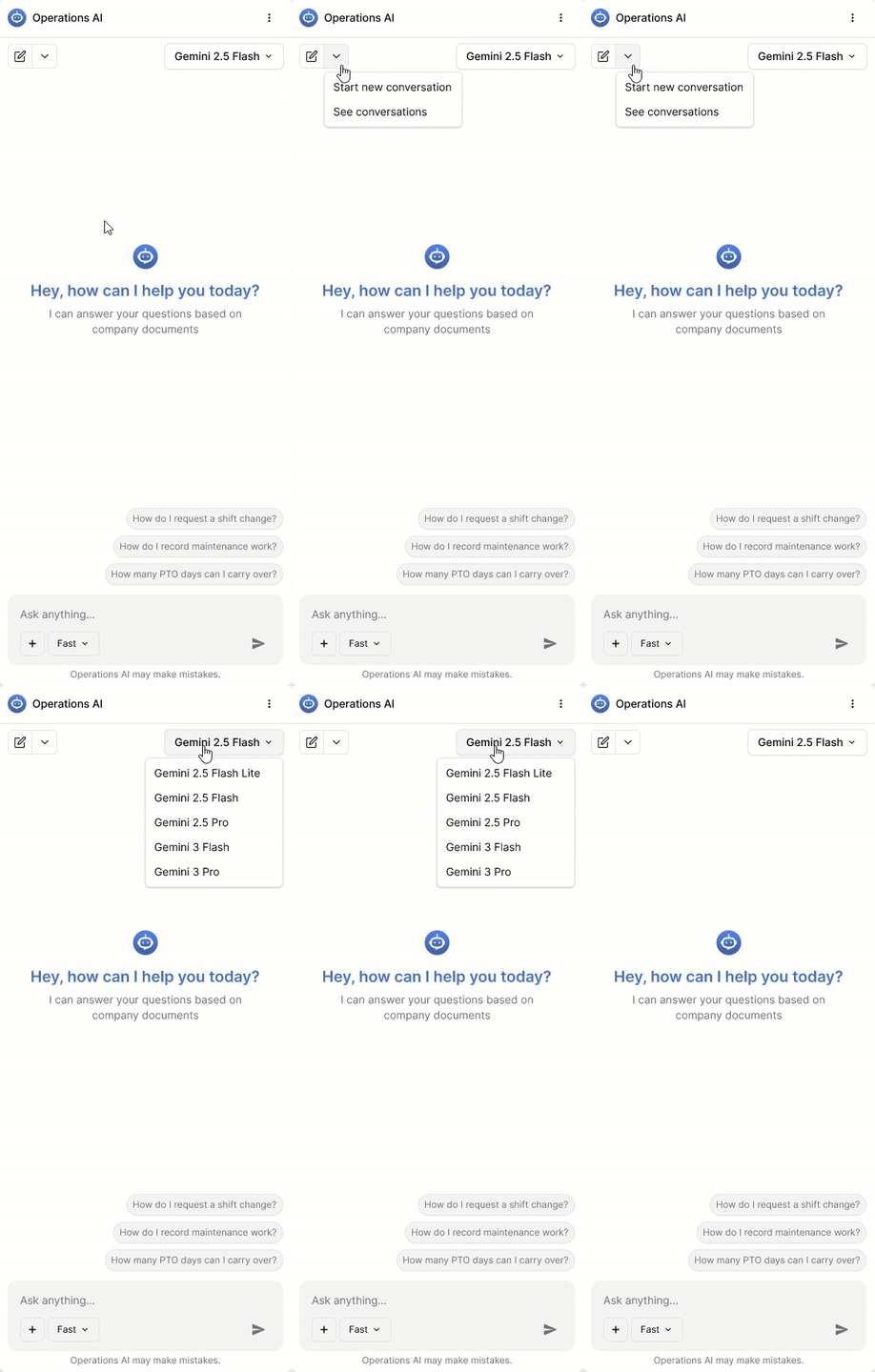

Users can also customize the model they use (if their admin allows it), manage their previous conversations, and of course, it fully handles all error states.
Users can also customize the model they use (if their admin allows it), manage their previous conversations, and of course, it fully handles all error states.
unveiling THE PROJECT
unveiling THE PROJECT
The chat beats expectations and wows the audience
This project was kept under wraps internally and was reveled at the company Christmas party. Management wanted to end the year with one final surprise success. Our 10 minute presentation turned into a 40 minute one, with too many questions to answer, and amazement from the audience.
During the presentation we demonstrated the AI’s ability to quickly find relevant articles, to answer questions correctly, to provide links, and to respond in any language.
This project was kept under wraps internally and was reveled at the company Christmas party. Management wanted to end the year with one final surprise success. Our 10 minute presentation turned into a 40 minute one, with too many questions to answer, and amazement from the audience.
During the presentation we demonstrated the AI’s ability to quickly find relevant articles, to answer questions correctly, to provide links, and to respond in any language.